Feb 16, 2024
How to Enhance Your Design Process with Conceptual Wireframes
Plus: A Curated List of Free Resources to Jumpstart Your Workflow
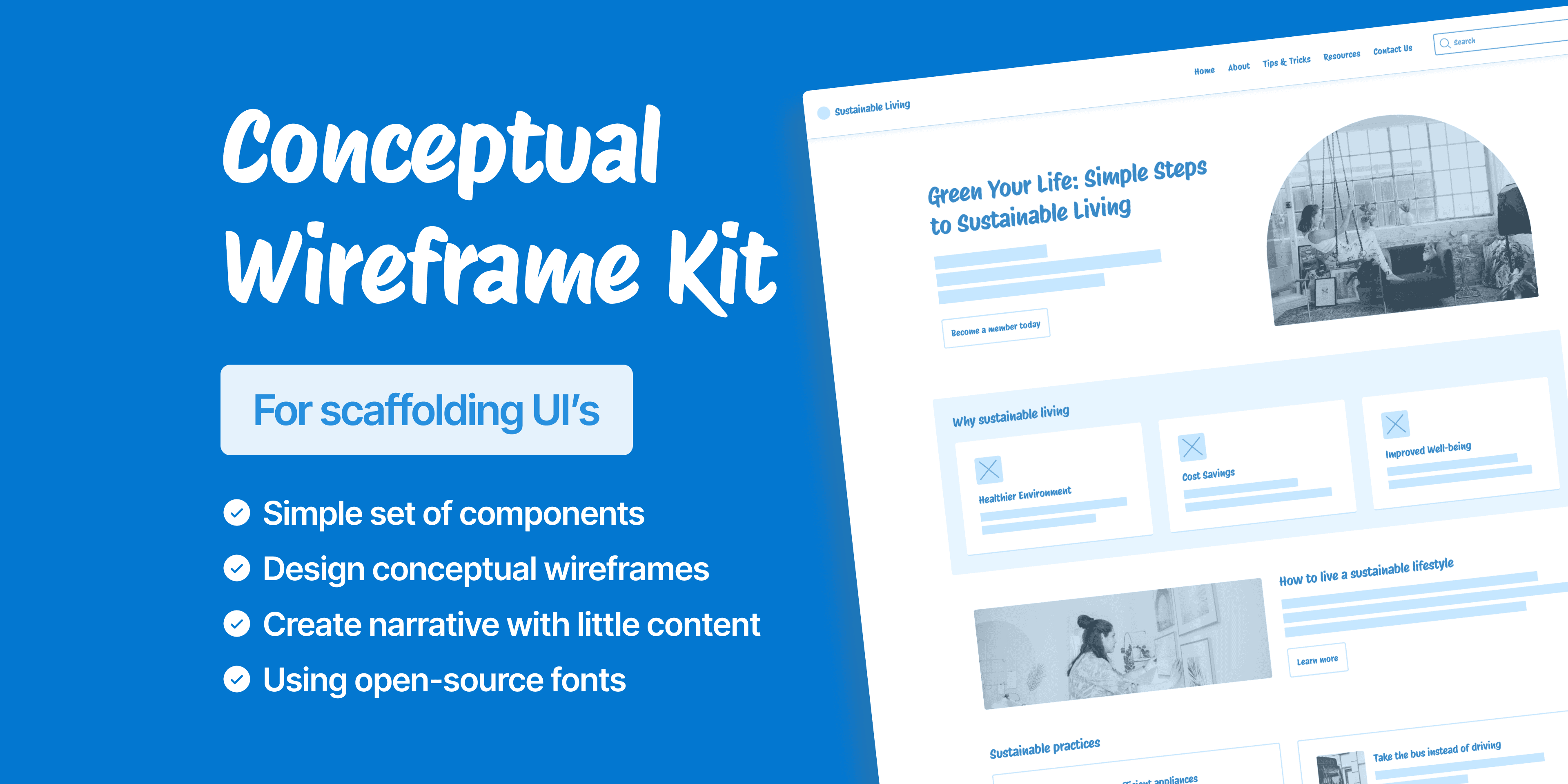
Conceptual wireframes offer an invaluable starting point when project details are sparse or undefined.
Wireframes are a visual representation of a website’s layout and content hierarchy. They provide a high-level overview of navigation and interface elements, helping designers and stakeholders plan the website’s design and user experience.
Conceptual, or block frame-style, wireframes simplify communication by distilling layouts to their essential elements. Acting as architectural blueprints, they establish the structural foundation of a website’s interface.
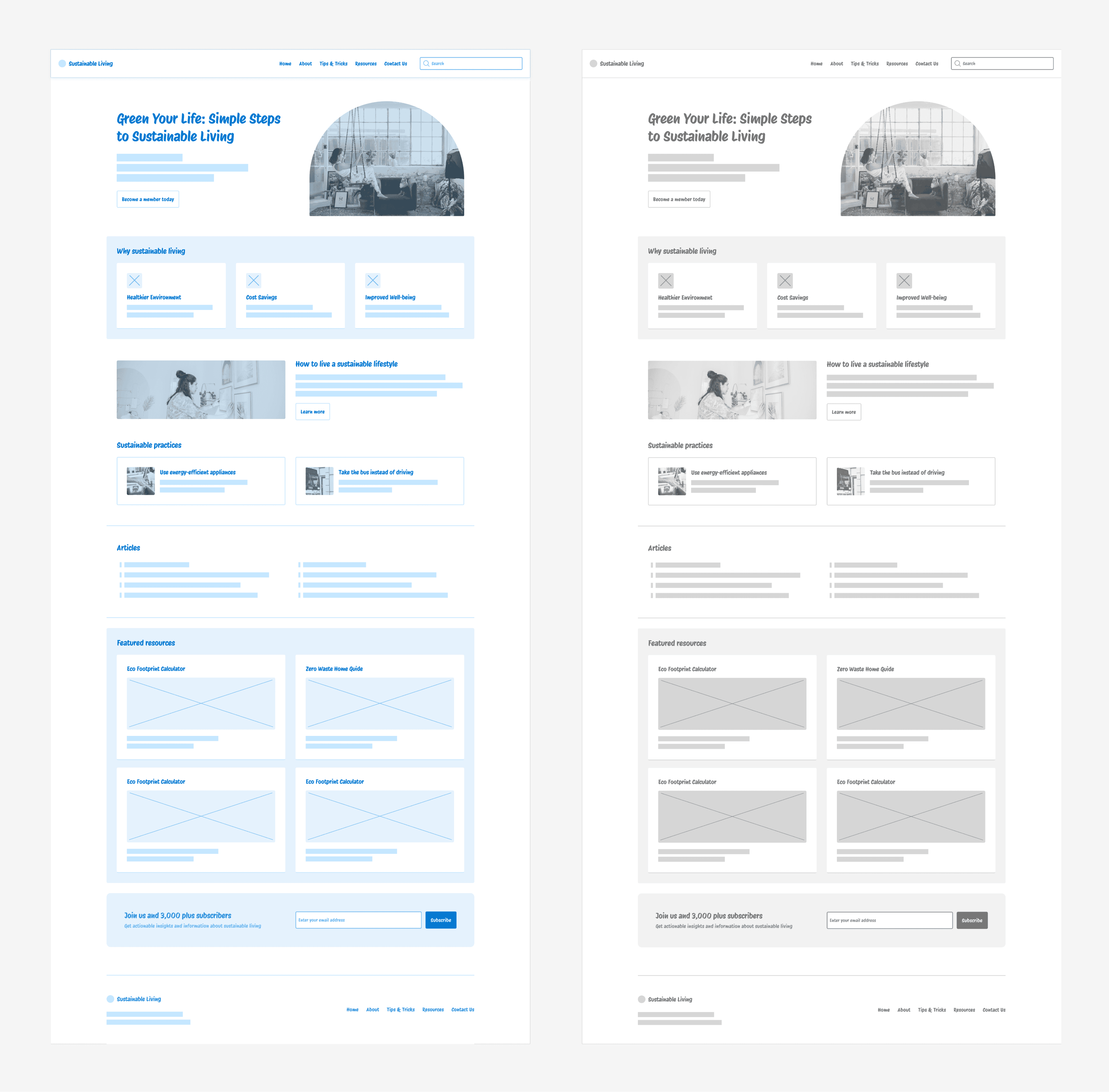
There are times when the design process must move forward despite limited information or unavailable stakeholders. In these situations, conceptual wireframes become essential tools for initiating discussion, presenting early ideas, and gathering critical feedback.
By deliberately excluding aesthetic elements that may not yet be defined, wireframes enable a concentrated focus on content structure and information flow. This clarity helps teams align on the web page’s foundational layout before diving into visual details.
A wireframe is not simply a static placeholder but a dynamic tool that enables rapid iterations. As the project’s conceptual phase develops, the wireframes can be modified and improved to meet stakeholders’ needs and feedback. This adaptability is especially valuable in agile development environments where changes must be incorporated promptly.
Conceptual wireframes improve the design process by encouraging early and frequent communication among team members and stakeholders.
This wireframe style achieves several critical goals: identifying key project elements, engaging stakeholders, and promoting rapid progress.
Helps Clarify the Storyline
This approach allows you to illustrate a clear narrative, mapping the user's journey through a page and guiding them toward desired actions or goals.
Focuses on Hierarchy of Elements
With conceptual wireframes, you can establish a clear hierarchy of content and imagery. Laying out a simple design with block elements enables you to determine what users see first and in what order, supporting effective information architecture.
Supports Content Design
Even before content creation begins, developing a conceptual wireframe helps clarify what needs to be communicated and where content should live. Content designers particularly appreciate this approach, as it allows them to engage early in the process.
Facilitates Productive Discussions
These wireframes spark productive conversations among designers, developers, content strategists, and stakeholders. They foster early involvement and prompt thoughtful consideration of essential project aspects.
Focuses on Functionality
By stripping design elements down to their essentials, conceptual wireframes highlight the user’s journey and focus attention on core usability and functionality. This ensures a strong foundational user experience before creative embellishments are introduced.
Quick to Produce and Change
Conceptual wireframes are quick to sketch and easy to revise, making them ideal for rapid iteration. Their agility empowers teams to explore, refine, and adapt ideas efficiently, maintaining project momentum.
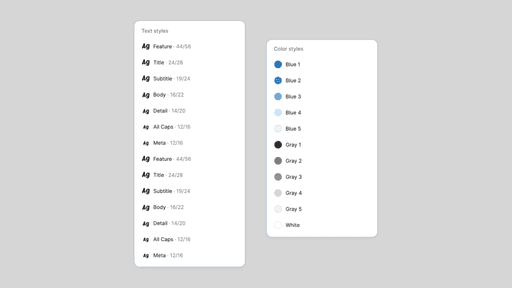
Color and text styles
Shades of blue and gray are commonly used, emphasizing simplicity through a minimal color palette and restrained text styles. By eliminating unnecessary decoration, this wireframe style spotlights essential messaging, page elements, and core functionality. This foundation streamlines the design process, supporting rapid feedback and efficient team collaboration before visual details are finalized.
Imagery
Real imagery can be incorporated by desaturating images, increasing highlights, and applying a semi-transparent overlay—such as DEDEDE at 32%—to blend seamlessly with the grayscale wireframe aesthetic.

Color Schemes and Typography
Exploring the color schemes and typography of various mobile apps y provides invaluable insights for developing a cohesive design language. Focusing on combinations that enhance readability and engagement is crucial, especially on smaller screens. Effective use of color and fonts not only boosts an app’s aesthetic appeal but also ensures it remains user-friendly and accessible.
Free Resources
The rest of this article will focus on free resources that you can use to create your own wireframes.
Typography
Typeface selection is crucial, as it sets the tone for your wireframe. The goal is to balance a conceptual feel with professionalism—handwritten fonts that blend personality with readability work best in this context.
“Protest Riot,” a free Google font, exemplifies these qualities. Its clear, legible style offers character without sacrificing function, making it ideal for wireframes that need a human touch alongside strong usability.
“Redacted” is an excellent block-style font for placeholder text. Available free from Google Fonts, it’s especially useful in wireframes where temporary text shouldn’t distract from the overall layout.
Photography
While many websites offer free stock photos, Burst by Shopify stands out for its wide selection and curated collections, making it easy to find high-quality imagery for various design needs.
Icons
Phosphor Icons is a popular free icon set featuring multiple styles—thin, light, regular, bold, filled, and duotone—with a sleek, versatile design.
Download this Figma file to use Phosphor icons as components: Phosphor Icons for Figma or browse more free icon sets on UI Goodies.
In Closing
Some may argue that wireframes are unnecessary, but this overlooks a crucial aspect of design: guiding the team through uncertainty. Wireframes provide a visual representation of concepts, enabling decisive steps forward even amid ambiguity and making early project stages easier to navigate.
As designers, success depends on engaging in the right activities at the right moments. Embracing early design concepts can significantly improve your workflow. Don’t hesitate to immerse yourself in the process—attention to detail, even at the conceptual stage, lays a strong foundation for your team and your vision.